![[ AV Educate ]](http://images.squarespace-cdn.com/content/v1/65b8078755ddd303f05675d7/db23e407-0671-4a73-bd96-304f51d3176c/SOCIAL+MEDIA+ICONS.png?format=1500w)
![[ AV Educate ]](http://images.squarespace-cdn.com/content/v1/65b8078755ddd303f05675d7/8f6939e4-c0d0-4eed-8821-4aaa02343b89/SOCIAL+MEDIA+ICONS.png?format=1500w)
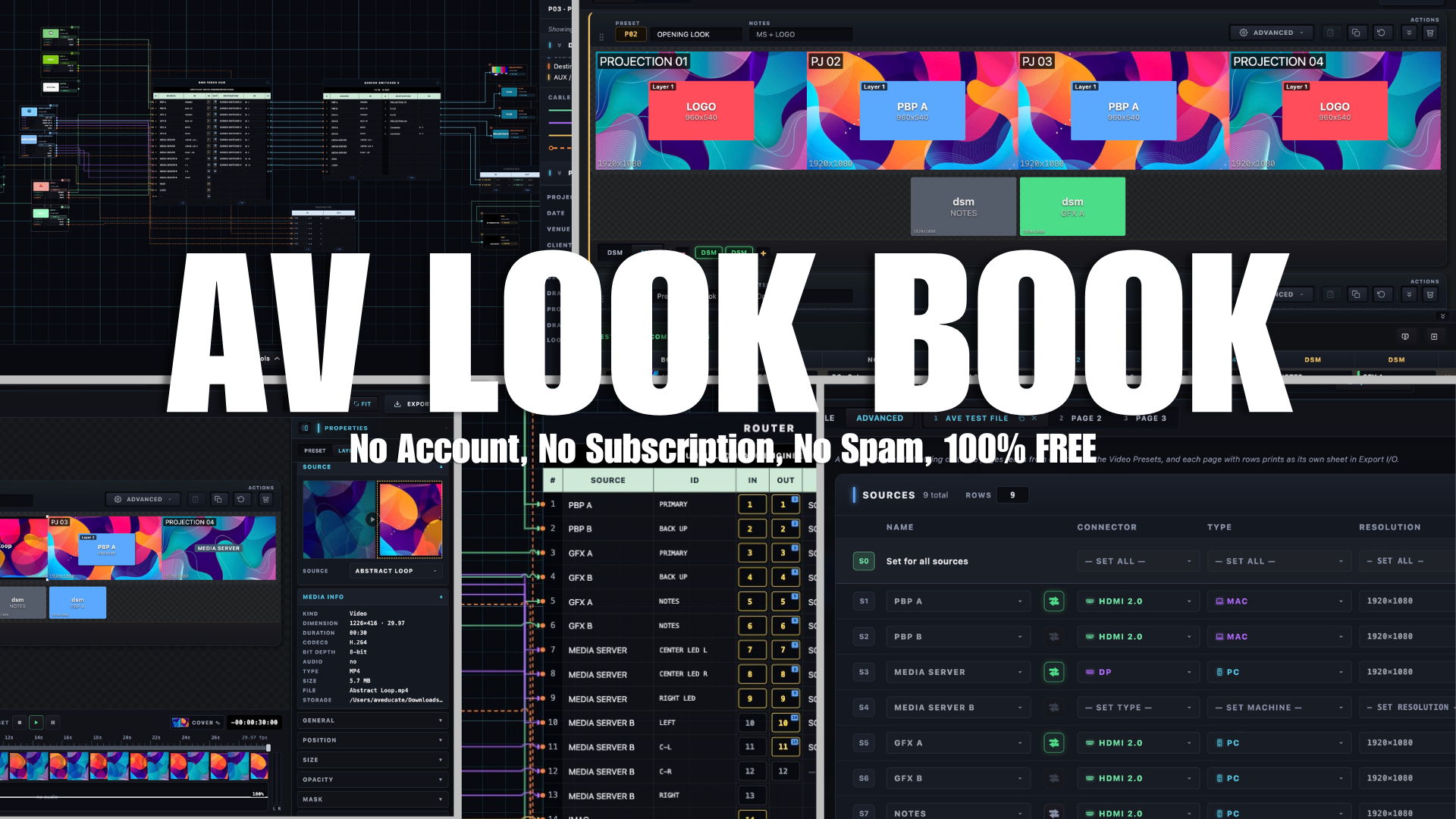
AV Look Book, program review
What does Preset 07 look like?
What is going to the DSM?
Which input is playback?
What resolution is the center LED wall?
Where is that output going?
And does the Show Caller, Producer, and Video Engineer all have the same answer? These are questions we deal with on shows every day. The problem isn't that we don't document them.
The problem is that we document them in multiple different places.
A PowerPoint document.
An Excel cue sheet.
An patch sheet.
A signal-flow drawing.
Multiple Cloud Storage locations.
And, if we're being completely honest, probably a few important details that exist only in the Video Engineer's head. Then the show changes, Now someone has to remember to update all of it and that is the problem we wanted to solve, and we're giving it to the AV community for FREE.
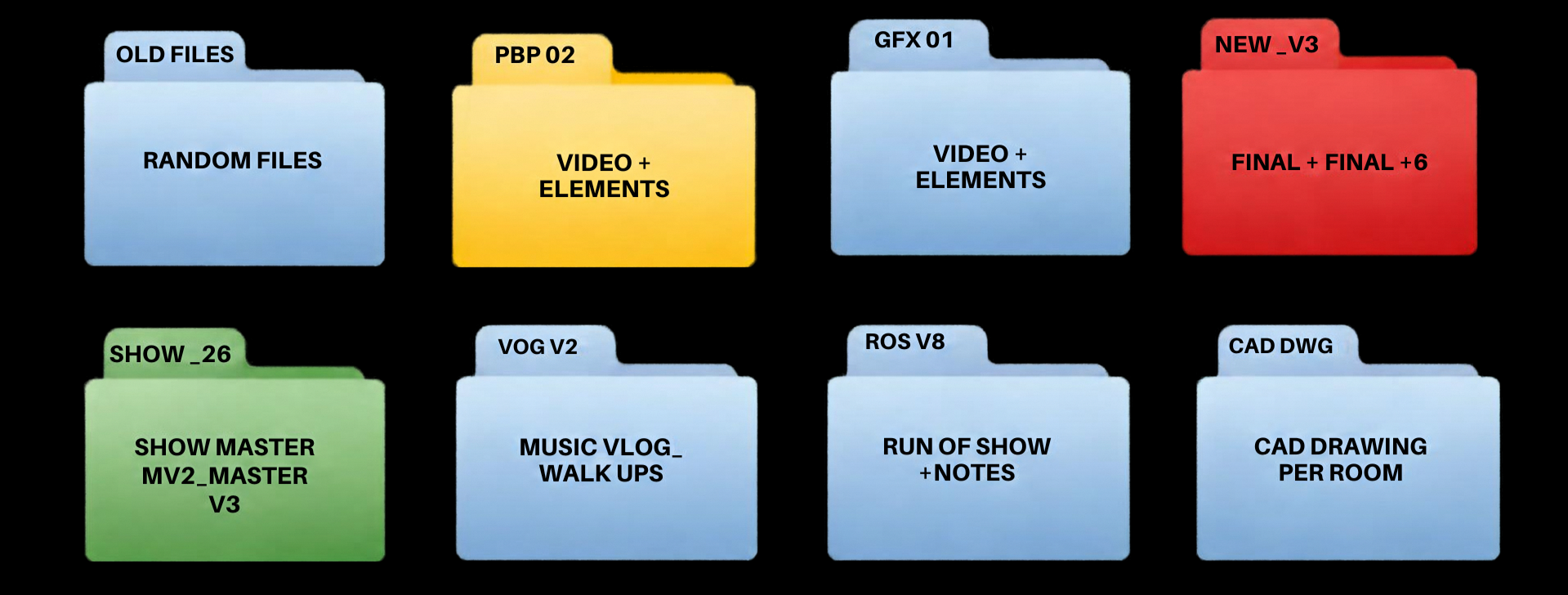
How AV Look Book, helps solve some of this clutter
Introducing THE AV Look Book
AV Look Book is a FREE, offline pre-production and show documentation tool built for live event video teams today. That means you own the files, the show, and the documentation. Nothing is collected or stored in the cloud, unless you place it there.
One program the Show Caller, Video Engineer, Producer, and crew can all work from to plan how a show should look and how the video system supporting it should work. Because it’s free, everyone can have access without extra seats, subscriptions, or accounts.
Build your destinations.
Create your presets.
Patch your I/O.
Build your routing.
Draw your signal flow.
Then generate the documents your crew actually needs from the same project.
Plan the show
Engineer the system.
Hand the crew the same plan
AV Look Book is another free resource from AV Educate Inc., a 501(c)(3) nonprofit, built to help Equip, Enable, and Empower the AV workforce.,
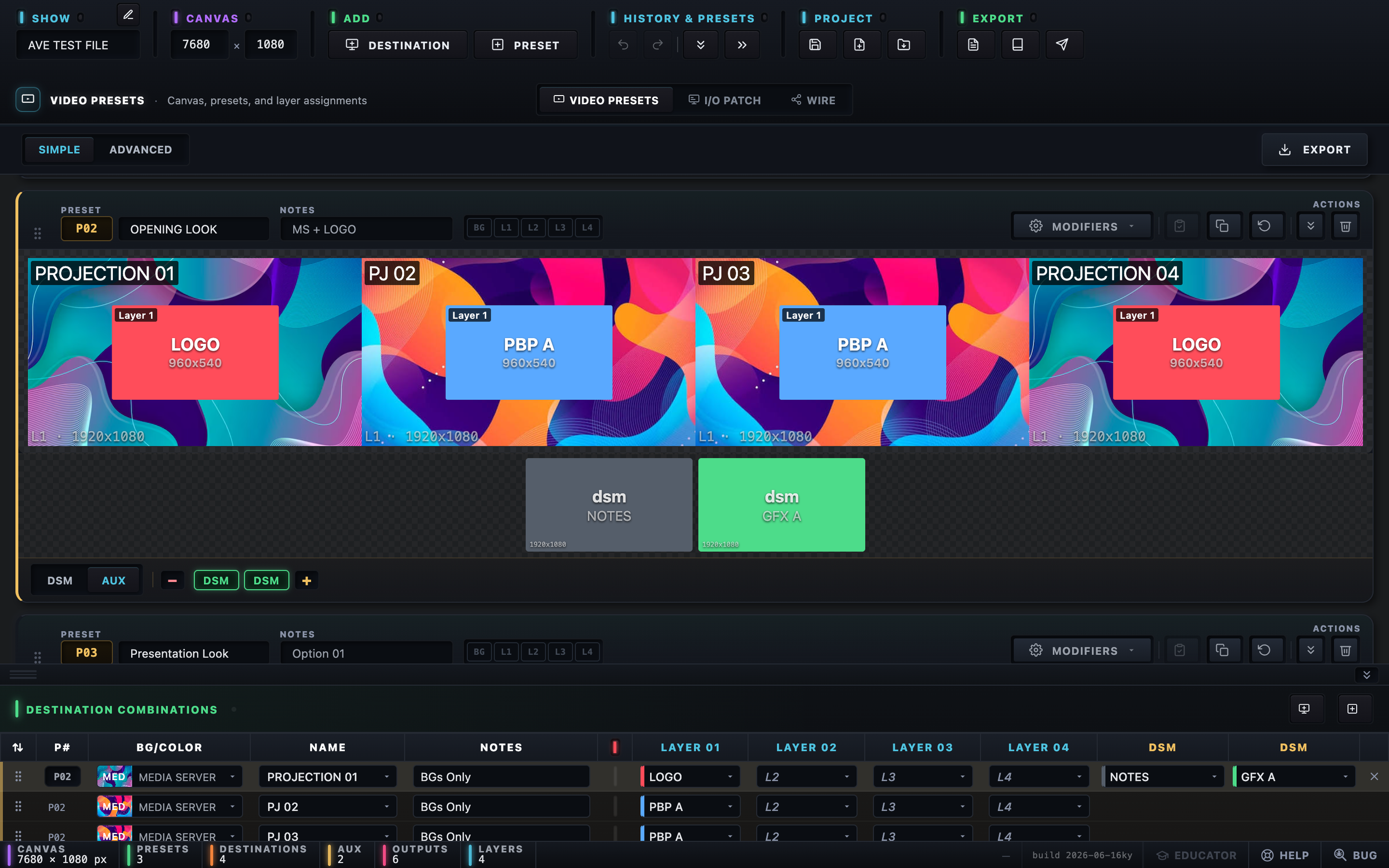
AV Look Book, Video Preset Page: Simple, AV Look Book brings destinations, layers, sources, DSMs, and presets together so the show can be planned before you reach the switcher.
The Switcher Shouldn't Be Where You Figure Out the Show
We've all been there. You get on show site, start programming, and suddenly everyone begins asking questions that probably should have been answered before load-in.
What are our destinations?
What resolution are they?
What sources are actually coming into the switcher?
What goes to DSM?
What goes to AUX?
Do we have enough outputs?
What exactly does this preset look like?
Where does that signal go?
These aren't necessarily difficult questions.
But discovering the answers while you're programming the switcher adds unnecessary pressure to an environment that already has enough of it. AV Look Book moves those conversations into pre-production. When you start building the show, the software naturally makes you answer those questions.
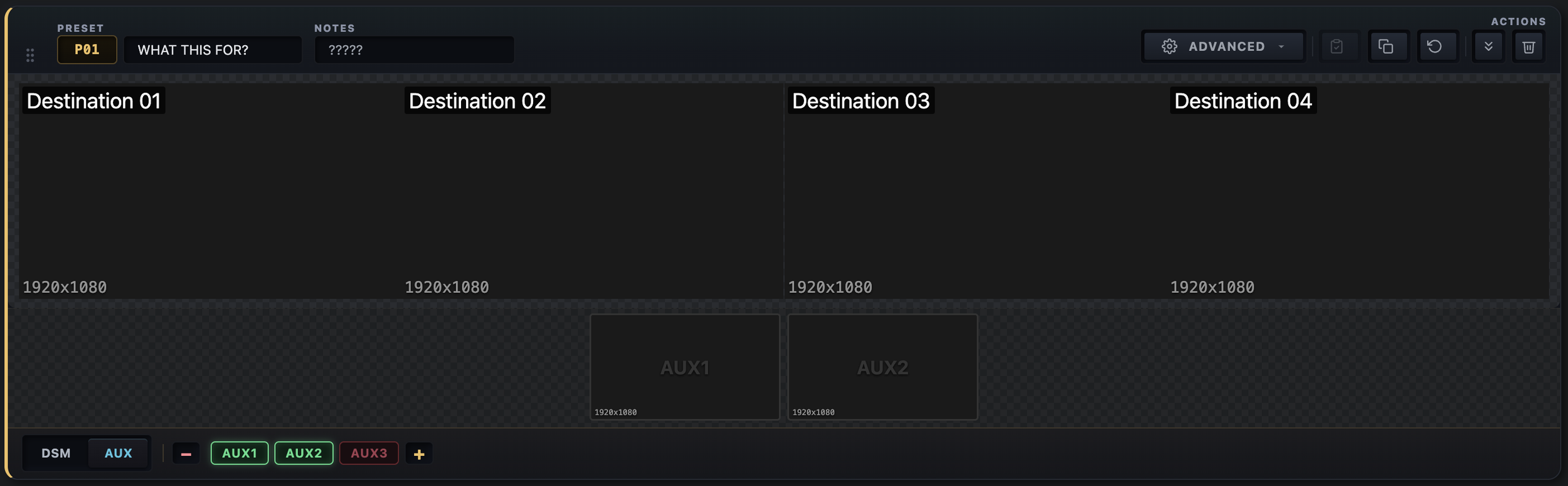
Blank Preset Page from AV Look Book
Your Show Shouldn't Live in Five Different Documents
Most of the documents we already use in live events work perfectly well individually. The problem is keeping all of them connected. Imagine the client changes P07. The original plan was IMAG on the left and PowerPoint on the right. Now they want PowerPoint on the left and IMAG on the right. Easy change except now someone needs to update there documentation. Then the cue sheet. Maybe the preset notes. Maybe something in the engineering documentation, And someone needs to make sure the Show Caller and Video Engineer are both looking at the newest version. AV Look Book approaches that differently.
Build the show once. Use the information everywhere.
The look book, cue sheet, I/O information, and wire documentation come from the same project. Instead of maintaining several disconnected versions of the same information, the project becomes the common reference.
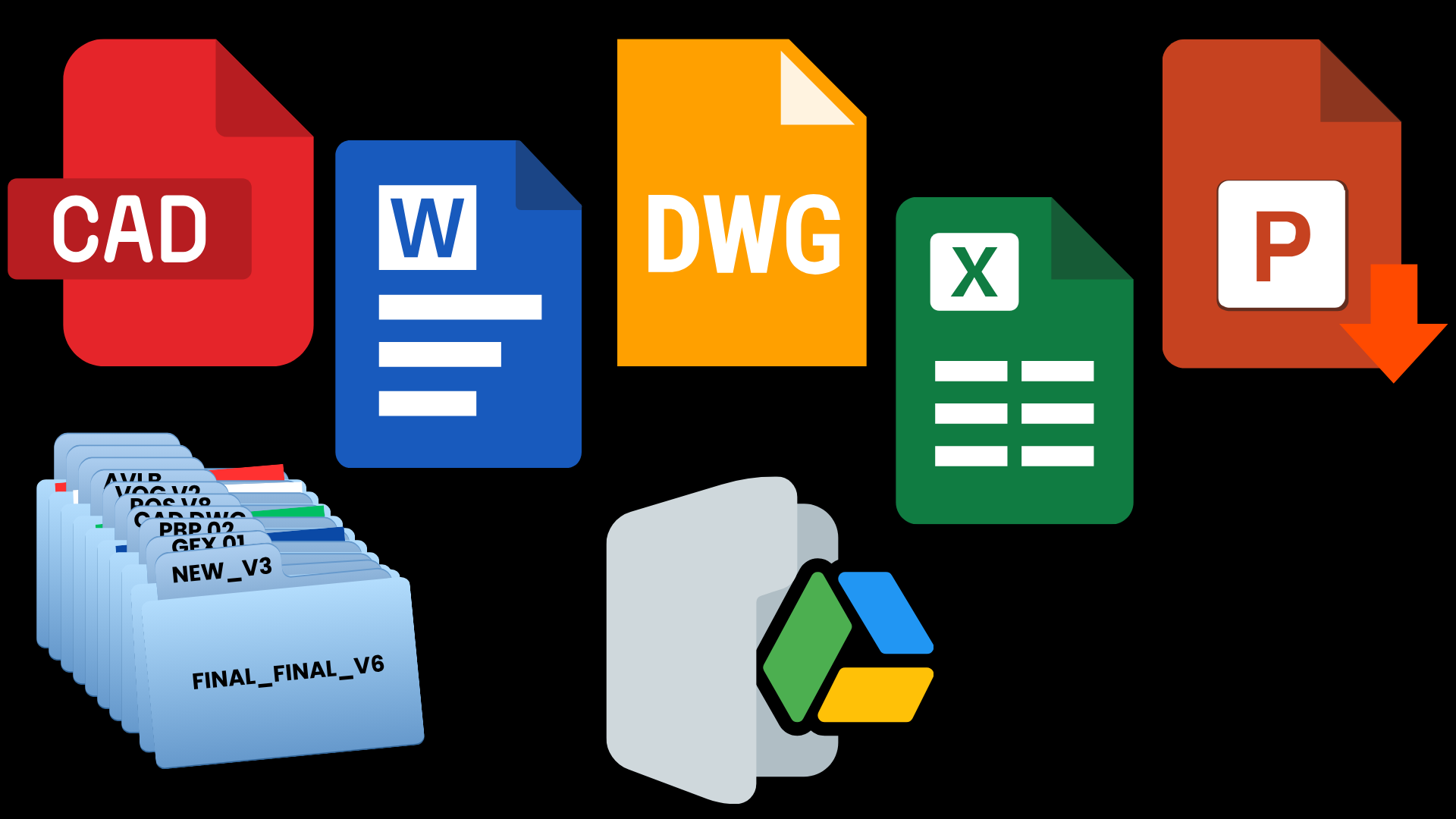
How AV Look Book solves the problem of documents in different places.
Start With What the Audience Is Actually Going to See
The Video Presets section lets you build the actual destinations for the show at their real resolutions. Maybe that's one LED wall, maybe it's three projection screens, maybe you have DSMs, AUX feeds, confidence monitors, or several destinations that all need different content.
Build those destinations. Then start creating looks.
P01. Sponsor Loop
P02. Opening Look
P03. Presentation Look
Add the sources to the layers, position them on the actual canvas. build the look the way it should appear on the real screen.
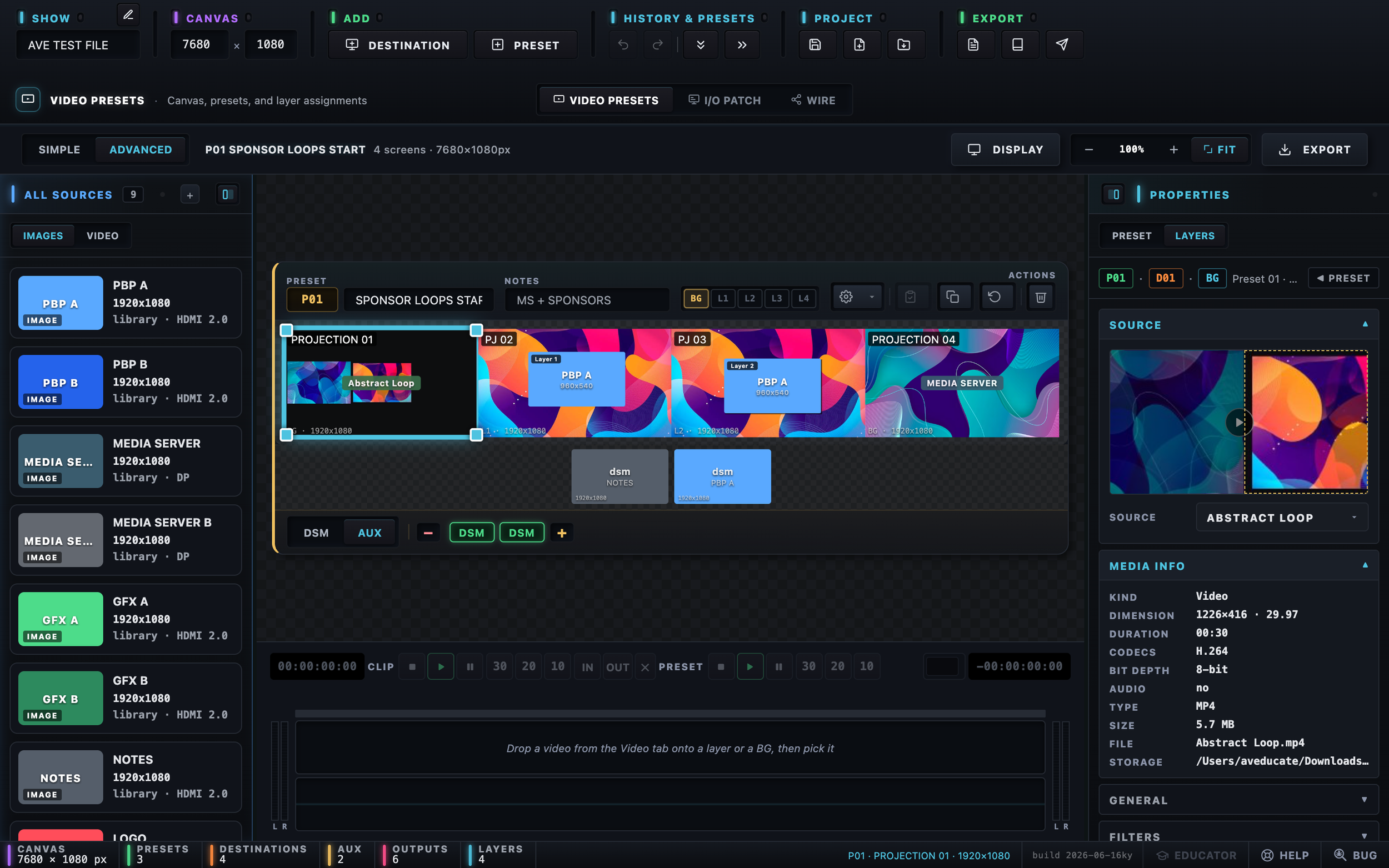
AV Look Book, Advance: Build each preset on the destination canvas, assign sources and layers, and visualize what the audience should see before show day.
Now the conversation with the Producer or Show Caller can happen before everyone is standing in the ballroom.
Does this look right?
Is this where IMAG should go?
Is the PowerPoint PIP too large?
What happens during walk-in?
What should playback look like?
What does the audience see during the panel?
Those decisions can happen during pre-production instead of rehearsal, because there are few phrases anyone wants to hear less during show setup than: "That's not what I thought it would look like." Let's have that conversation before show day.
Now Speak the Same Language on Comms
Once the looks are established, something else becomes easier.
Communication.
Instead of: "Give me that look with the camera on the left, slides on the right, and put playback on the center screen." The call becomes: "Go P07." The Show Caller knows what P07 means, the Video Engineer knows what P07 means, the Producer can see what P07 looks like, The operator knows what needs to happen when P07 is called.
Everyone is referencing the same look.
That may sound simple.
It is.
That's the point.
Good show documentation shouldn't make the show more complicated. It should remove ambiguity.
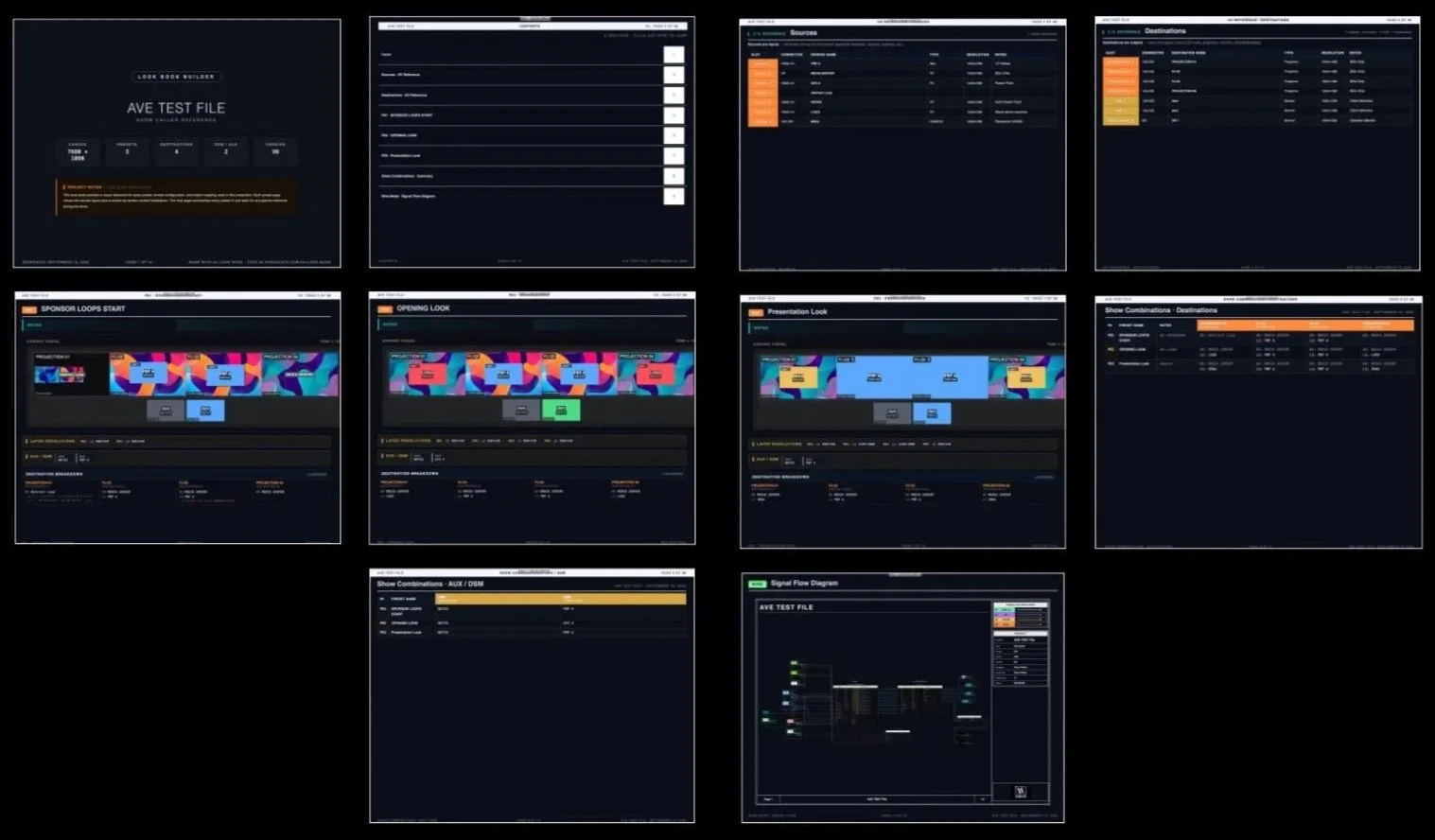
Print Out, of the AV Look Book
Then Engineer How It All Gets There
AV Look Book isn't only about what appears on the screens, video engineers still need to answer the other half of the question: How does the signal get there? That's where Wire and I/O Patch come in.
Build your sources.
Build your destinations.
Document your connectors, resolutions, machine types, and notes. Then map the signal flow between them, for a simple show, that might be sources into a switcher and outputs going directly to destinations. For larger systems, you can go deeper with routers, switchers, converters, network switches, port numbers, primary and backup paths, and cable types and As the show grows, Wire Mode gives the engineer a visual way to follow those paths instead of keeping the entire system in their head.
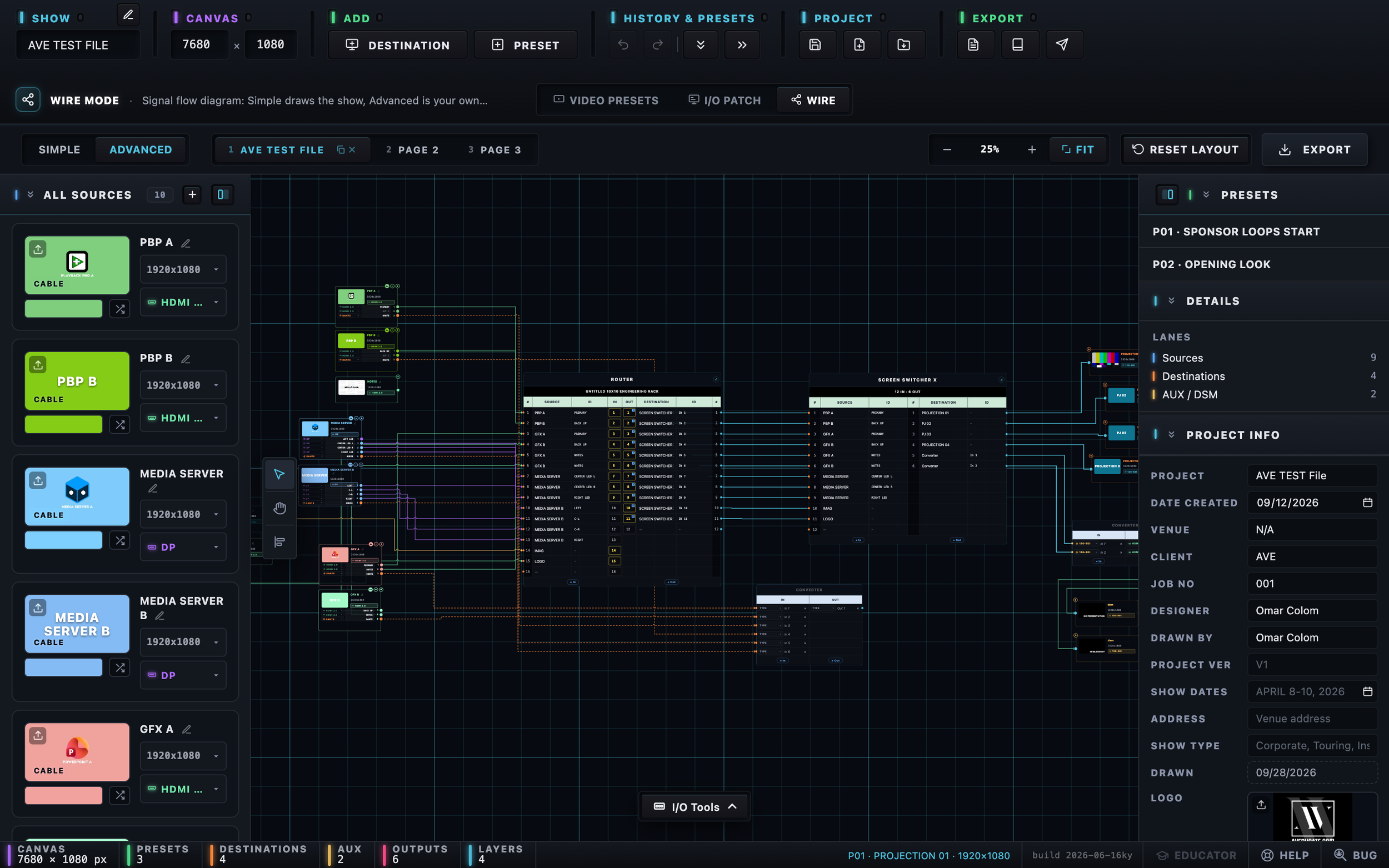
AV Look Book, Wire: Advance, Wire Mode gives the Video Engineer a visual signal-flow reference from the sources, through the switcher, and out to each destination.
The goal isn't to replace engineering drawing platforms.
AV Look Book isn't trying to replace Vectorworks, ConnectCAD, AutoCAD, or the other tools already being used for system design. Those tools can document how a system is built.
AV Look Book documents how we're using that system for this show.
That's an important distinction.
Know Your Inputs & outputs Before Show Site
A signal-flow drawing is only useful if you understand what's actually going into and coming out of the system. AV Look Book gives you a dedicated I/O Patch for documenting the details you're going to need when it comes time to build the system.
PowerPoint machines.
Media servers.
Graphics Machines.
IMAG.
Playback.
Destinations.
DSMs.
Multiviewers.
Connectors.
Resolutions.
Notes.
Instead of figuring those details out one cable at a time during setup, you can begin working through them during pre-production.
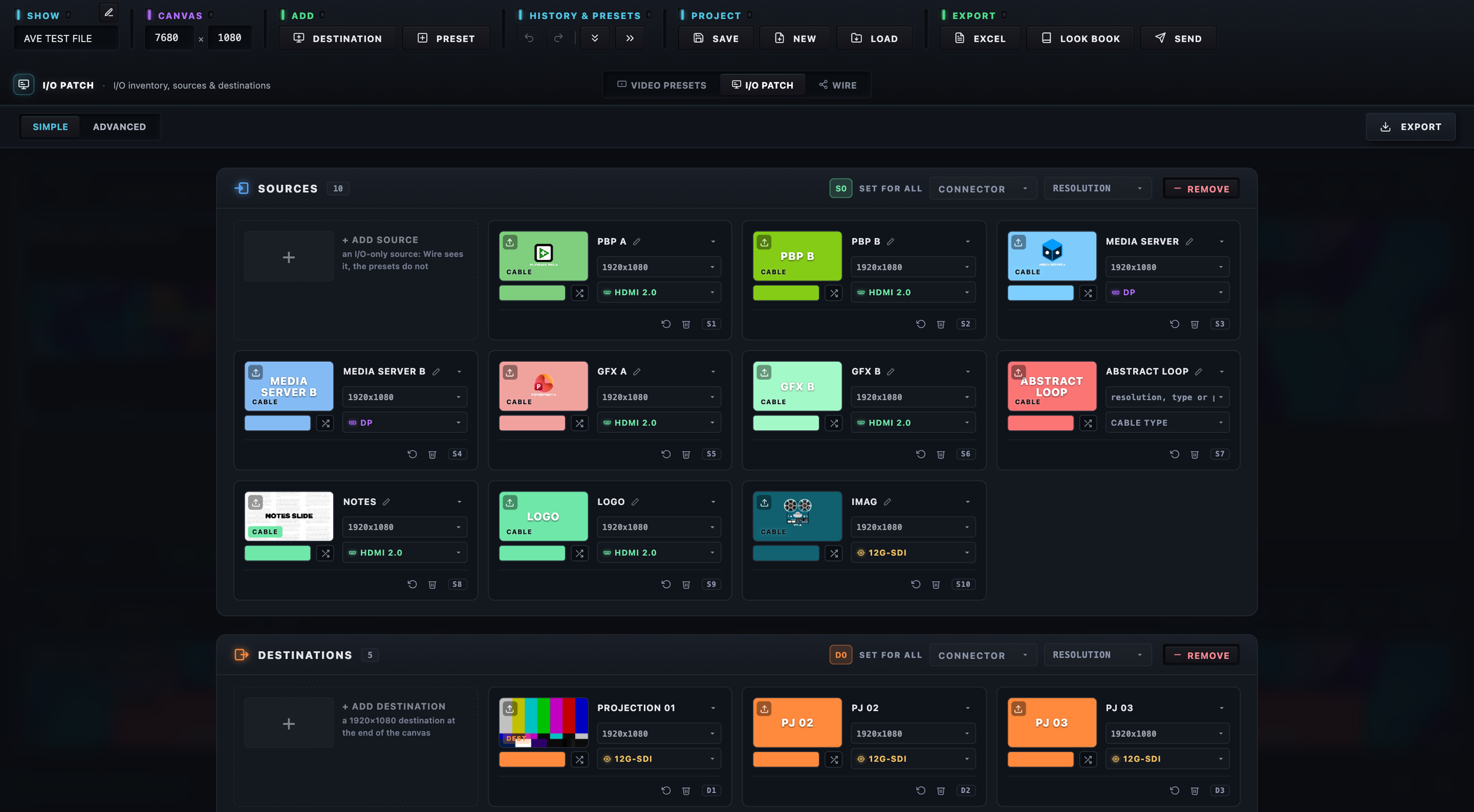
AV Look Book, Wire: Simple document your sources, machine types, connectors, resolutions, before the equipment starts getting connected.
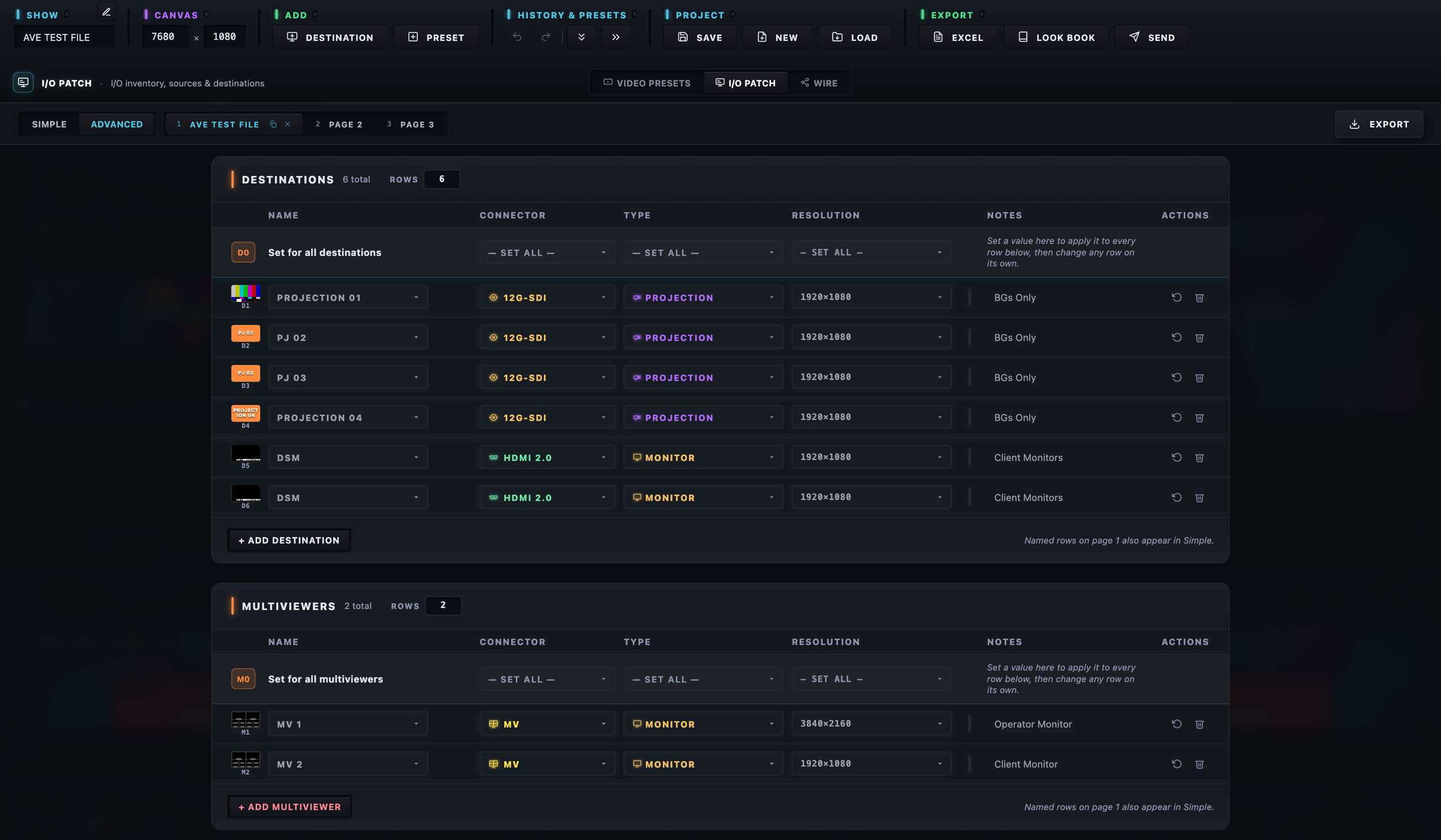
AV Look Book, Wire: Advance, sources are only half the system. Document destinations, DSMs, multiviewers, connectors, resolutions, and other output requirements in the same project.
This is where pre-production starts becoming engineering. You're not just saying, "We need four screens." You're asking:
What are those four screens?
What resolution does each one need?
What connector are we using?
What output feeds it?
What else needs to come out of the system?
Those are the questions a Video Engineer eventually has to answer. AV Look Book gives you a place to start answering them before show site.
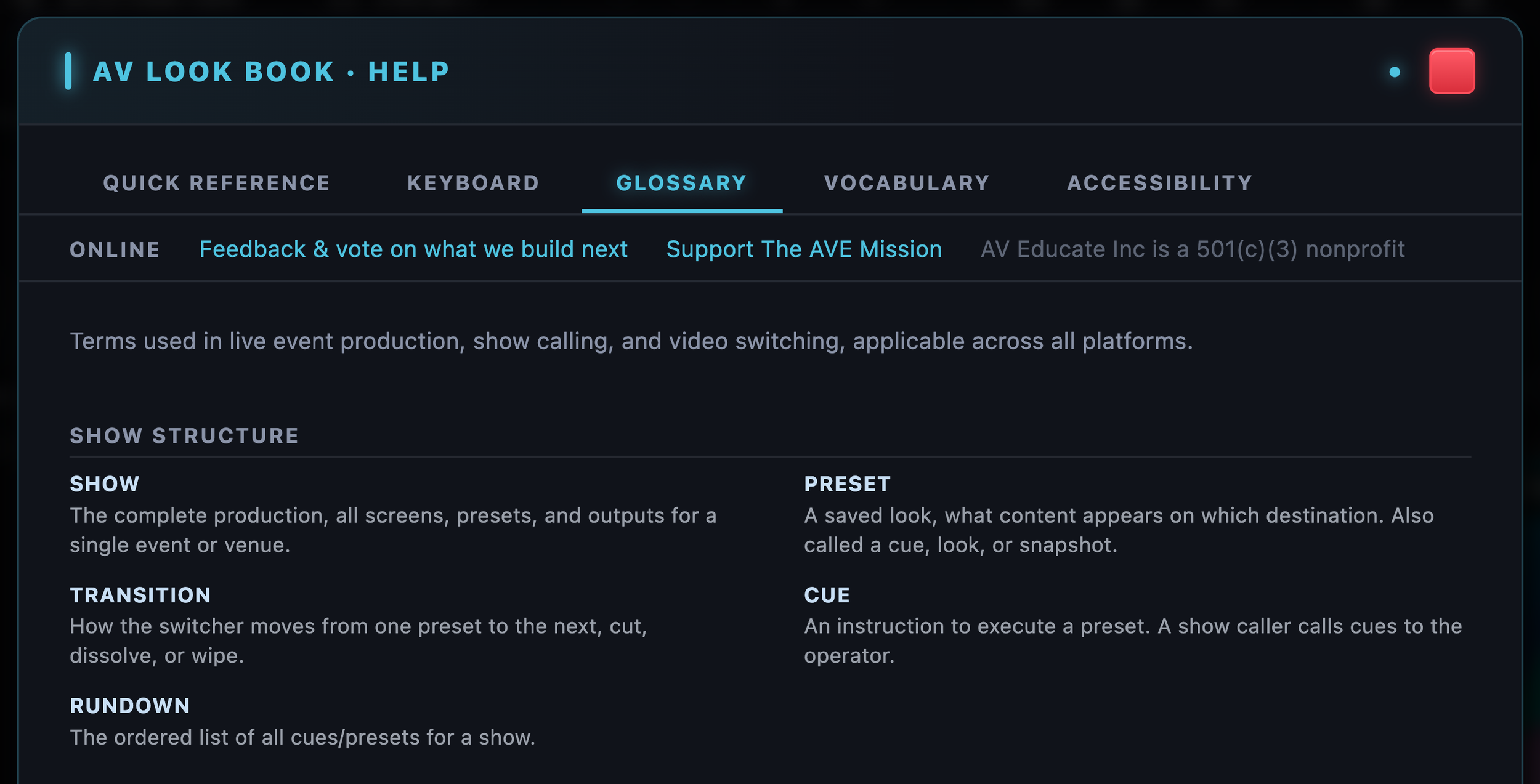
Still learning the language? The Glossary in Help explains the terms of show calling and video switching.
This Is Also a Training Tool
This is where AV Look Book connects directly back to the mission of AV Educate. We didn't want to create software only for experienced engineers who already know all the answers. We wanted something that could also help people learn which questions they should be asking. You can actually practice building a show without having the gear in front of you.
Create your sources.
Decide what type of machines they are.
Choose your connectors and resolutions.
Build your destinations.
Decide what needs to appear on each screen.
Create your presets.
Then work through how those signals need to get from the source to the destination. If you're learning Video Engineering, you're practicing the thought process behind building the system.
What are my sources?
What are my destinations?
What resolution does each destination need?
How am I getting the signal there?
What connector am I using?
What outputs do I need?
What goes to AUX?
What goes to DSM?
What does each preset actually need to accomplish? You can't build the project without thinking through those questions. And that is training.
The same applies to someone learning Show Calling.
What exactly are you calling?
What does each preset look like?
What should happen on each destination?
Does the operator understand your terminology?
Can someone else look at the documentation and understand what you mean?
You're not learning where a button is on one manufacturer's switcher. You're practicing how to think through the show. Then, when you do get in front of a Barco, Analog Way, Pixelhue, Spyder, Ross, or another system, you already have a plan for what that system needs to accomplish.
AV Look Book doesn't replace hands-on training.
It gives you another way to practice the thinking that happens before the hands-on work begins.
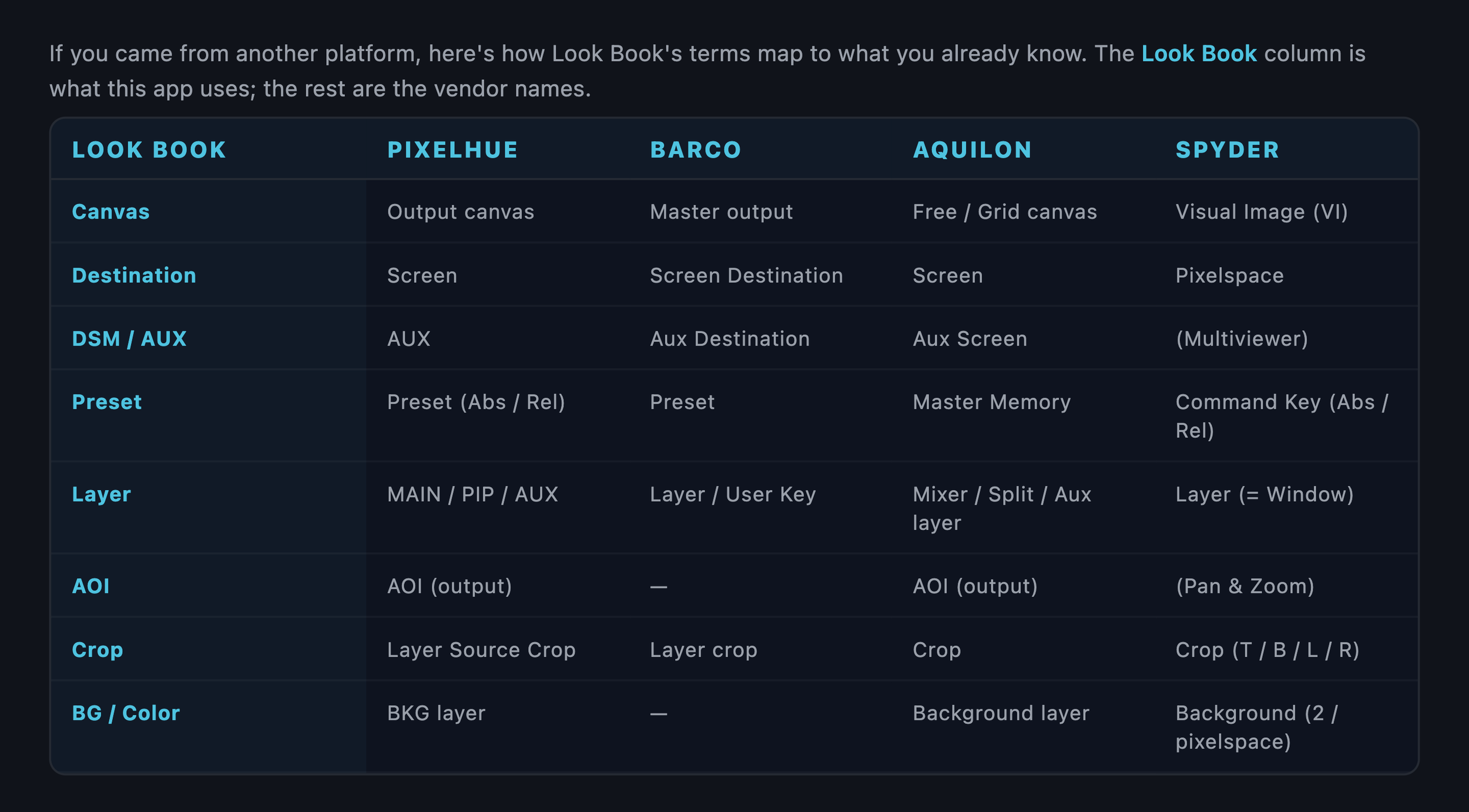
Coming from Barco, Aquilon, Pixelhue or Spyder? The Vocabulary tab shows what each term is called on your switcher."
Built by People Who Actually Do This Work
There is a reason the software uses terms like destinations, presets, layers, DSM, AUX, I/O, routing, and cabling.
That's how we talk on shows.
AV Look Book was built around the workflows Video Engineers, Show Callers, and live-event crews already use. You shouldn't need to learn a software company's vocabulary before you can document your show. If you already understand sources, destinations, presets, AUX, DSM, and signal flow, you already understand the basic language of AV Look Book. And the application is brand-agnostic.
Your show might ultimately run on
Barco.
Analog Way.
Pixelhue.
Spyder.
Ross.
Or something else entirely. The show comes first. The switcher comes later.
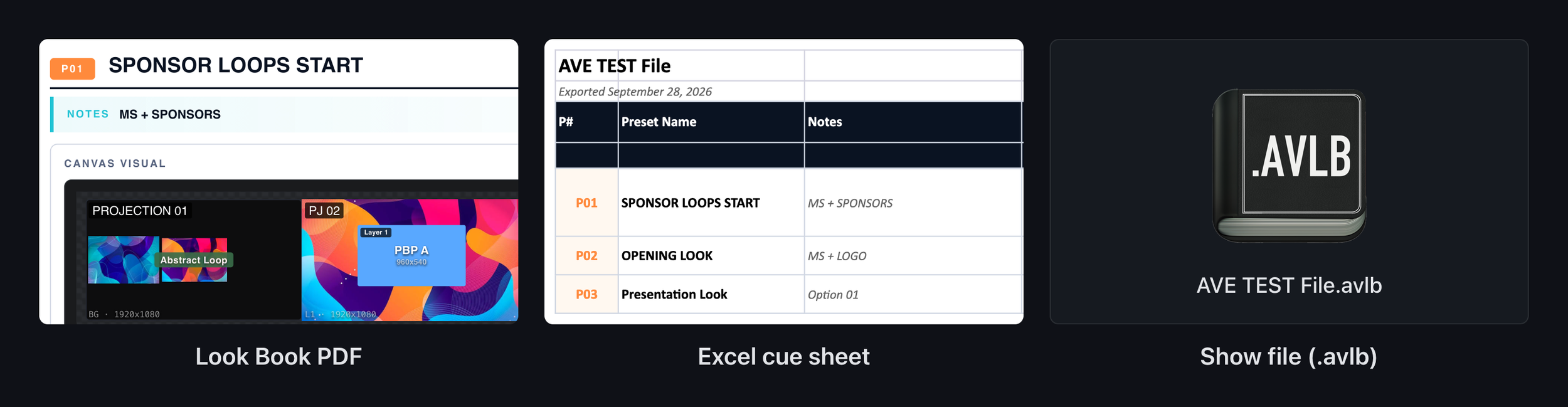
"One show, three hand-offs."
What Do You Actually Hand the Crew?
This was important to us too. Not everyone on the show needs another piece of software.
Your crew needs information.
AV Look Book can generate a Look Book PDF containing the visual preset information and show documentation. It can generate an Excel cue sheet containing the presets and destinations for the people who need that information in spreadsheet form and for someone who needs the entire editable project, there is the AV Look Book show file. One .avlb file contains the project and can be opened by another AV Look Book user. So the whole crew doesn't need to change their workflow just because one person used AV Look Book to plan the show.
Build it in AV Look Book. Hand people the format they actually need.
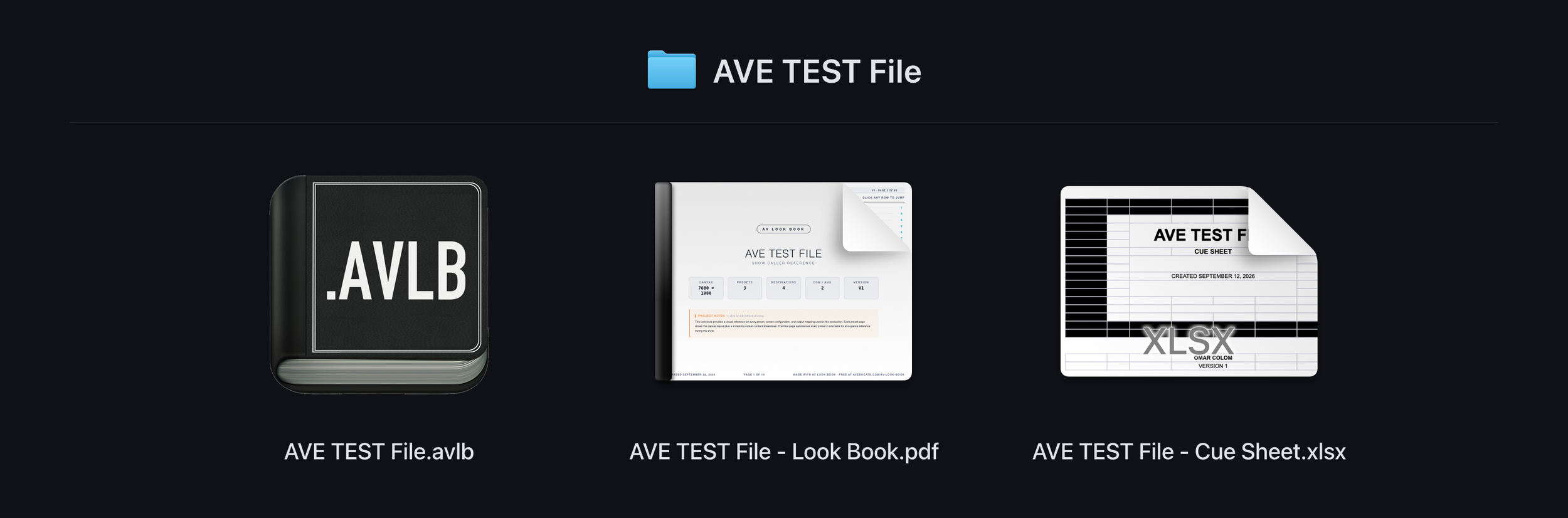
“Your show is a file. Keep it with the rest of your show files, wherever those live."
Your Show Stays Your Show
This was non-negotiable for us. AV Look Book is local-first and works offline. Your project lives on your computer.
There is no cloud workspace.
There is no AV Look Book account tied to your project.
There are no seats to manage.
There is no analytics tracking how you use the software.
There is no AI reading your show information.
And you don't need internet access to build the show. If you've ever worked from a ballroom with terrible Wi-Fi, that last part probably doesn't need much explanation.
Your show is a file.
Put it on your show drive.
Put it on your company server.
Back it up to a USB drive.
Put it in whatever approved cloud storage your company already uses.
Handle it the same way you handle the rest of your show files.
Don't Want to Start From Zero?
You don't have to.AV Look Book includes example shows you can open and explore. Look around. See how the destinations are built, look through the presets. follow the I/O. Look at the wire diagram, Then use that foundation to start building your own show.
We also created a Quick Guide to help walk you through the application. The goal isn't to hand you a blank piece of software and tell you to figure it out. We want AV Look Book itself to become another learning resource.
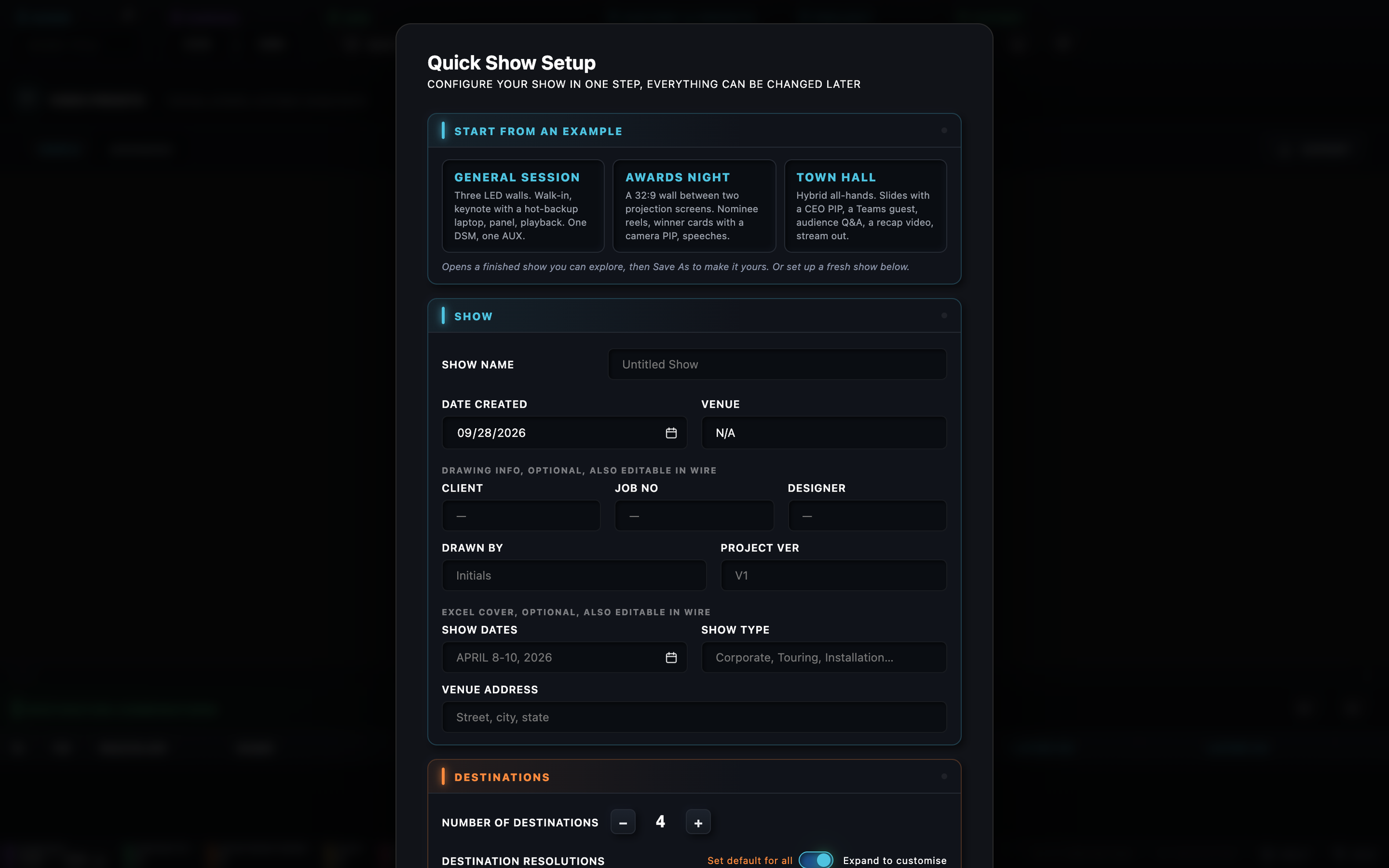
The Quick Show Setup guide for all NEW AV Look Book sessions.
Why Is It Free?
Because AV Educate is a nonprofit education organization.
Our mission isn't only to teach classes. It is to increase access to the knowledge, tools, resources, and training that help people become stronger AV professionals. Sometimes that means putting someone in front of a switcher. Sometimes it means creating a Quick Guide. Sometimes it means giving someone access to a scholarship, And sometimes it means building a piece of software that we think can help people better prepare for the work they're trying to do.
AV Look Book is free because we want people to use it.
No trial.
No subscription.
No per-seat charge.
No account.
This is another resource AV Educate is putting into the community as part of our 501(c)(3) mission.
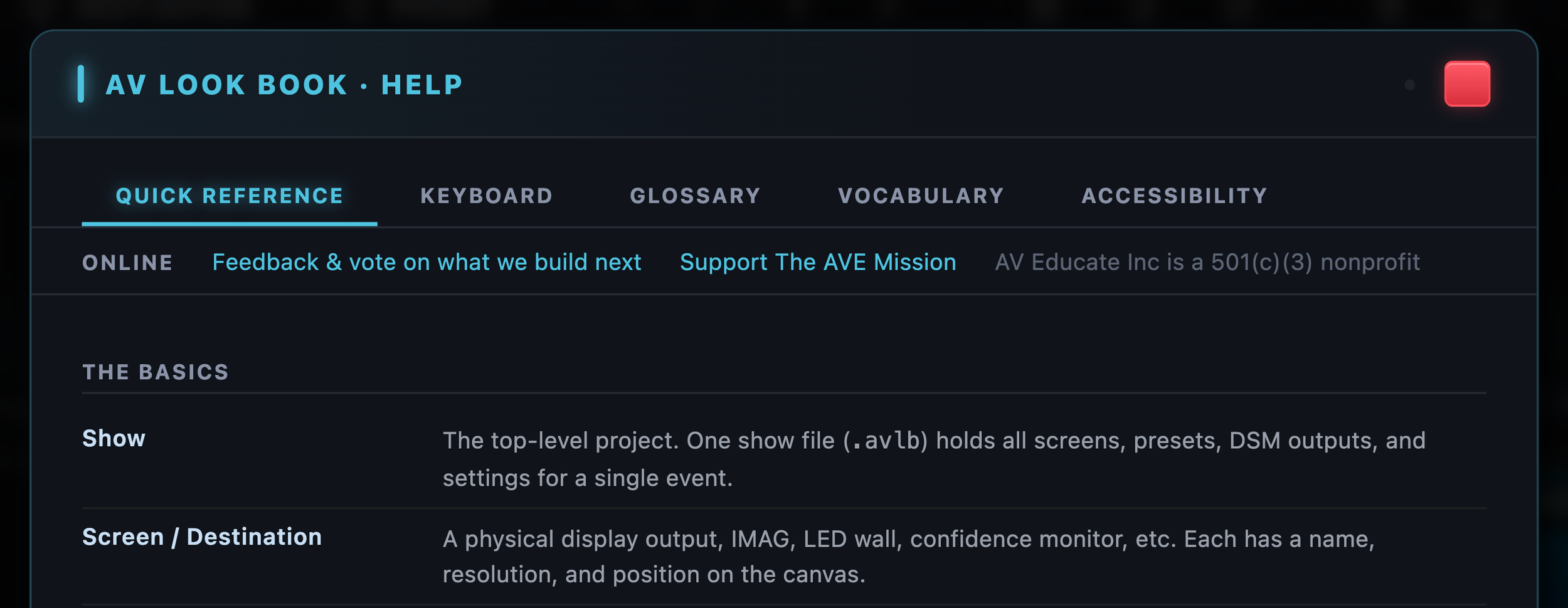
"Tell us what to build next: feedback and voting are one click away in the Help window."
We Want the Community to Help Build It
AV Look Book is new.
We're using it.
We're testing it.
And we're continuing to improve it, But the people who will make it better aren't only the people inside AV Educate,they're the Video Engineers who build a real show and say:
"I need this."
The Show Callers who notice something missing, the Producers who find a better way to communicate a look, The freelancers who discover a workflow we didn't think about. That's why feedback is built directly into the application, If something doesn't work, tell us. If something would make your workflow better, tell us. If you build a show with it and discover a better way we could approach something, tell us.
This isn't software we're building in isolation and eventually handing to the AV community. We want the AV community involved while we build it.
THE GOAL IS NOT MORE PAPERWORK
It's actually the opposite, we want fewer disconnected documents, fewer unanswered questions during rehearsal.fewer assumptions between departments. fewer important details living only in someone's head And more conversations happening before we get to show site.
Plan the looks.
Plan the presets.
Plan the I/O.
Plan the routing.
Plan the signal flow.
Give the Show Caller, Video Engineer, Producer, and crew a common reference, then walk into the ballroom with more of the show already figured out.
The switcher shouldn't be where you figure out the show.
AV Look Book is available now for Mac and Windows, completely free from AV Educate Inc., a 501(c)(3) nonprofit.