![[ AV Educate ]](http://images.squarespace-cdn.com/content/v1/65b8078755ddd303f05675d7/db23e407-0671-4a73-bd96-304f51d3176c/SOCIAL+MEDIA+ICONS.png?format=1500w)
![[ AV Educate ]](http://images.squarespace-cdn.com/content/v1/65b8078755ddd303f05675d7/8f6939e4-c0d0-4eed-8821-4aaa02343b89/SOCIAL+MEDIA+ICONS.png?format=1500w)
Download AV Look Book.
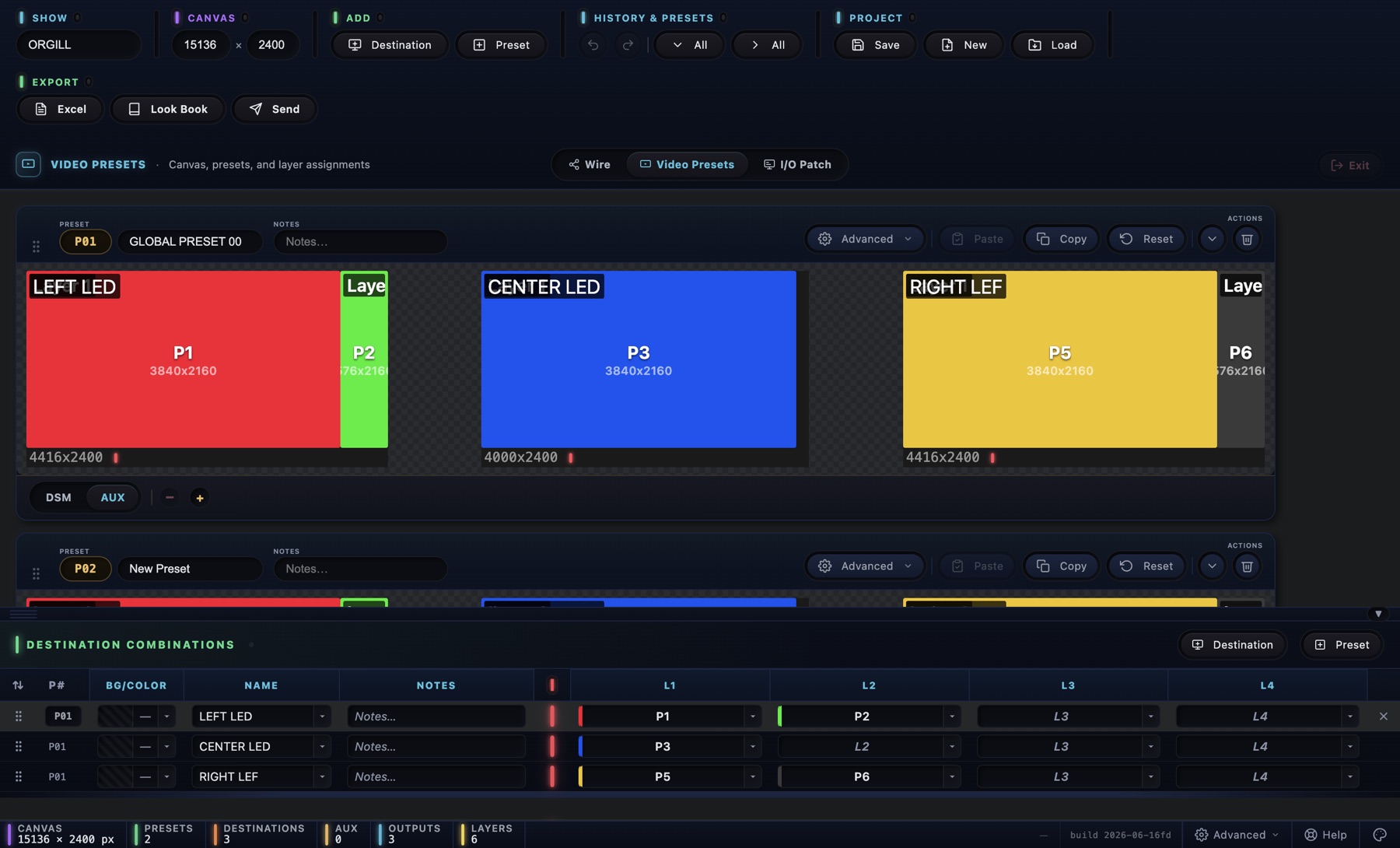
Plan the show. Engineer the system. Hand them the look book. Free for Mac and Windows; updates arrive inside the app when you're online.
Apple Silicon Mac
- M1, M2, M3 or M4 chip
- macOS 13 or newer
- .dmg · about 100 MB
Windows
- 64-bit Intel or AMD processor
- Windows 10 or 11
- .exe installer · about 84 MB
Download
Pick your machine above. The links always point at the newest version, and updates arrive inside the app when you're online.
Open it once
The app isn't signed by Apple or Microsoft yet, so the very first open asks once.
On a MacClick Done, open System Settings › Privacy & Security, scroll to Security and click Open Anyway.
On WindowsSmartScreen says the publisher is unknown: click More info, then Run anyway.
macOS says the app is damaged? Paste this in Terminal and open it again: xattr -cr "/Applications/AV Look Book.app"
Build your show
Quick Show Setup opens: name the show, add your destinations and presets. Every show saves itself to Documents › AV Look Book, one .avlb file per show.